How do you optimise your Airbnb profile and listing as a B&B? A practical checklist
An Airbnb listing that does not get booked is rarely just a price problem. Photos, title, amenities, calendar and host profile together decide whether you are found and chosen. A checklist in order of impact.
Share on LinkedIn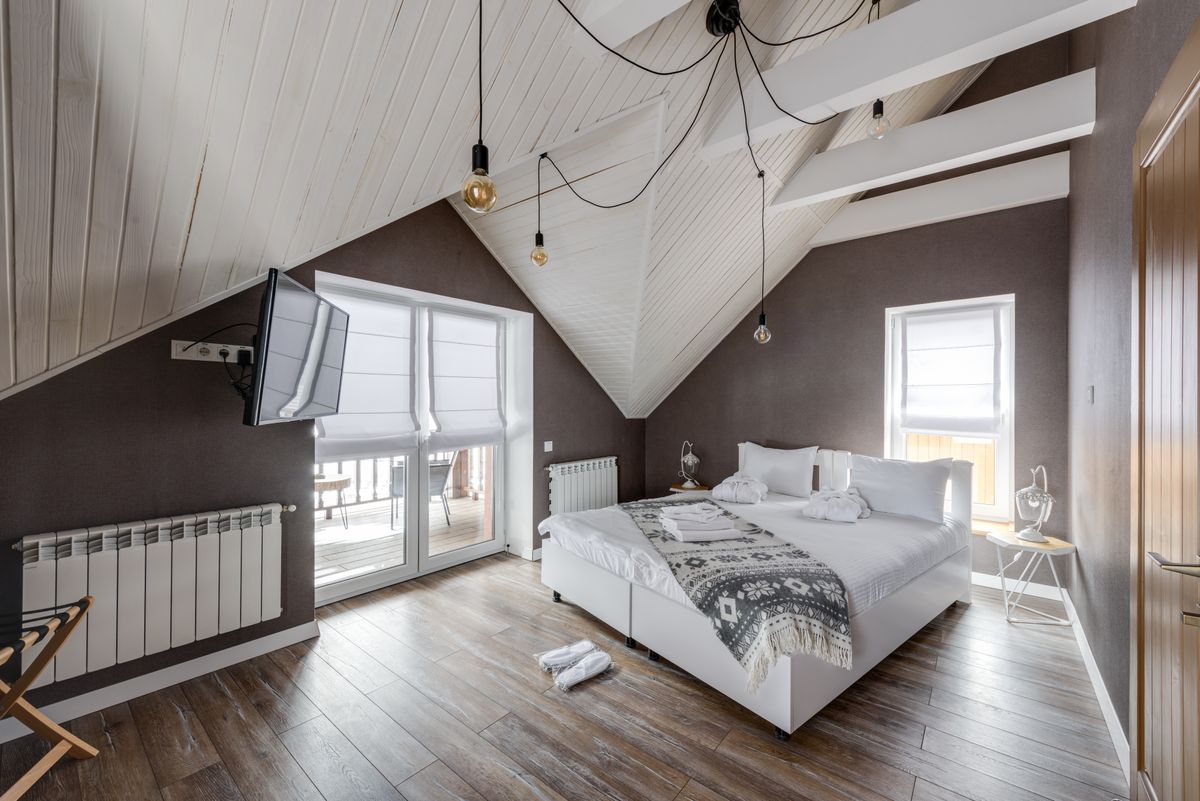
Short answer. You optimise your Airbnb profile by first working on what guests see in the search results: a strong first photo and photos of every space, a title that says what you are and where, and a price that fits your area. Then you fill in everything guests filter on: amenities, beds, accessibility, house rules. Finally, you keep your calendar open and accurate and reply quickly, because Airbnb also looks at how reliable you are as a host. Below is the checklist in order of impact.
Many owners start with the price when their listing gets few bookings. Sometimes rightly so, but the problem often sits earlier: the guest does not even open your listing, or drops off because a detail is missing. Airbnb says in its own help centre that the quality of a listing, its popularity and its price are among the factors that decide where it appears in search results. You can do something about all three.
1. The first photo decides whether you get clicked
In the search results a guest sees a photo, a title, a price and a rating. The first photo does most of the work. Choose the most spacious, brightest room photo or one that shows straight away what makes you different (the view, the garden, the breakfast table), not the façade with a parked car in front.
Then:
- Every space the guest uses, in the picture. Bedroom, bathroom, breakfast room, the garden or terrace if there is one. In the listing editor you can arrange photos per room, so guests find their own room.
- Landscape, daylight, tidy. No cables, no personal belongings, the bed neatly made.
- Show honestly what the guest gets. A photo of your best room on the listing for your smallest room leads to disappointed guests and weaker reviews.
If you have several rooms, create a separate listing per room type with its own photos. Why that also makes a difference for your admin is covered in room types versus individual rooms.
2. A title that says what you are and where
The title is short, so every word counts. Put in what a guest looks for in your area: the type of stay, the location and one concrete benefit. "Double room with breakfast, 5 min from the station" says more than "Cosy room in a charming house". Avoid capitals and exclamation marks; they look cheap and add nothing.
At the top of the description, answer the three questions every guest has: where do I sleep, what is included (breakfast, parking, wifi), and how do I get in. Only then the atmosphere.
3. Fill in every amenity that is true
Guests filter. Anyone who ticks "free parking" or "washing machine" will not see your listing if you left that box empty, even if you have it. Go through the amenities list once, completely: wifi, parking, breakfast, heating and air conditioning, accessibility, cot, pets. Set the beds per room correctly too; a family looking for two separate beds will otherwise skip you.
The other way round: do not tick anything that is not true. A guest who finds out on arrival that something is missing will mention it in the review.
4. Your price: think in total price
A guest compares what they end up paying, not just your nightly rate. A high cleaning fee quickly makes a one-night stay expensive next to your neighbours. How to handle that fee sensibly is covered in charging cleaning fees. Also account for Airbnb's own service fee; what it means for you is explained in Airbnb host fees.
Check now and then what comparable places nearby charge for the same dates. Not to be the cheapest, but to know whether your price makes sense.
5. An open and accurate calendar
A listing only appears for dates on which it is available. Opening your calendar only three months ahead means missing the guests who are already planning their summer. A minimum stay that is too long shuts out weekend bookers; more on that in setting a minimum stay.
Even more important: a calendar that is wrong. A booking you have to cancel because the room was already let via Booking.com or directly costs you trust and visibility on Airbnb. If your B&B is on several channels, your calendar should sync automatically. The difference between a real connection and an iCal link is explained in connecting Airbnb to your PMS.
6. Your host profile: a face and fast replies
Your host profile is separate from your listing and often forgotten. Add a friendly, clear photo of yourself, write a few sentences about who you are and which languages you speak, and complete the verification. For a B&B, where guests stay in your home, that carries more weight than for an anonymous flat.
Also reply quickly to questions and booking requests. Your response rate and response time are visible and count towards labels such as Superhost; what that takes exactly is covered in becoming an Airbnb Superhost. Unsure whether to switch on Instant Book? Read Instant Book on or off first.
7. Reviews: ask for them and reply to them
Reviews matter to guests and to Airbnb. You get more of them when you send guests a short, personal message after they leave. Reply to every review, including the critical ones, briefly and without getting defensive; future guests mostly read how you respond.
An order that works
If you only have an hour: replace the first photo, rewrite the title and go through the amenities. If you have an afternoon: add photos per room, update your host profile and open your calendar further ahead. After two to four weeks, check your Airbnb statistics to see whether more people view and book your listing.
How BedFlow PMS helps
BedFlow PMS connects Airbnb through the official API. You manage availability and rates in one place, a booking via Airbnb closes the room on your other channels straight away, and messages from Airbnb guests arrive in the same inbox as those from Booking.com and WhatsApp. That keeps your calendar right and helps you reply faster, two things that directly help your Airbnb listing.
See the pricing or try BedFlow PMS free for 30 days at bedflow.eu.
30-day free trial, no credit card. We migrate your MyTourist or other PMS data with you.