A PMS for glamping: what to look for when every unit is different
Glamping works differently from a campsite or holiday park: a handful of unique tents, lodges or tiny houses, guests without a reception desk and plenty of add-ons. Seven points for comparing a glamping PMS.
Share on LinkedIn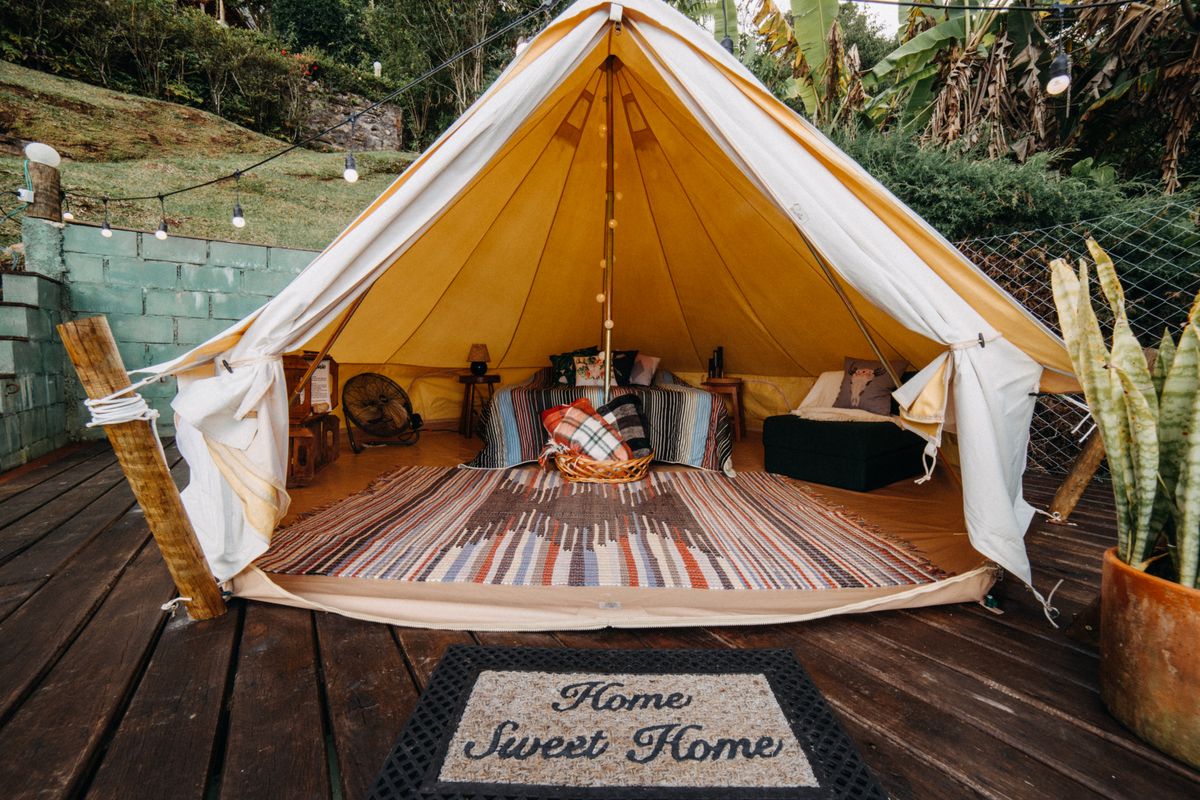
Short answer: compare a glamping PMS on what makes a glamping site different from a campsite or holiday park. Can every tent, lodge or tiny house be its own unit with its own photos, price, times and policies? Can guests add extras like a hot tub, firewood or a breakfast basket themselves? Can you set a minimum stay per period, let guests in without a key and run Airbnb and Booking.com through a real connection? If a package scores on those points, it fits. If it mostly scores on pitch maps and a barrier gate, it's campsite software and you pay for things you won't use.
Below are the seven points, in order of how much they matter in practice.
1. Every unit as its own unit, not as a "type"
A holiday park sells twenty identical chalets as one type. Glamping is the opposite: the safari tent by the pond, the treehouse and the tiny house with a sauna are three different products. Guests book a specific unit, often because of one photo they saw on Instagram.
So check whether the PMS can manage each unit as a separate room type, with its own name, photos, occupancy and price, without workarounds. And whether you can deviate from your site's defaults per unit: different check-in times (the treehouse is only ready at 4 pm), a different cancellation window, or no breakfast.
In BedFlow PMS you set that per unit on the Services & policy tab. Selling a few identical units as one type, say four identical bell tents, works too; that's the scenario in our article on a PMS for a campsite or holiday park.
2. Extras guests book themselves
With glamping, a big part of the revenue sits in the extras: a hot tub or sauna session, a bag of firewood, a breakfast basket at the door, a barbecue pack, a late check-out. If you handle those by email or WhatsApp, you'll occasionally forget to charge one.
Look at three things:
- Guests choose them while booking, on your own website, with a photo and a short description.
- The price can be per item, per person or per night. A breakfast basket is per person per night; firewood per bag, with the guest choosing the quantity.
- An extra belongs to the right units. The hot tub only belongs to the lodge that has one. Show it on every tent and you'll get bookings you can't deliver.
Then there are fixed costs such as final cleaning or linen. Those belong on every direct booking as a mandatory line the guest can't remove. In BedFlow PMS you do that with a product and the Mandatory on every booking switch. Note: for bookings via Booking.com or Airbnb the channel sets the price, so you configure cleaning fees in the extranet there or build them into your nightly rate. More in charging cleaning fees.
3. Minimum stay and seasons
A glamping site often runs on weekends and holidays, and some close completely in winter. That calls for restrictions you can set per unit and per channel:
- Minimum number of nights, for example two nights at weekends and in July and August;
- No arrival or departure on certain days, so you don't end up with single-night gaps;
- Closing a period entirely, for winter or maintenance.
What matters is that those restrictions also reach the channels. If you only set them on your own website, someone on Booking.com can still book a single Saturday night.
4. Check-in without a reception desk
Most glamping sites have no front desk. Guests arrive when it suits them, often in the evening, and the owner doesn't always live on site. So look at:
- Keyless access with a personal code that only works during the stay. BedFlow PMS works with TTLock and Salto KS code locks and with Bold locks via Home Assistant; see smart locks and keyless access.
- A guest page with directions to the unit, the wifi, the house rules and the extras the guest can still add.
- Automatic messages before arrival, by email and WhatsApp, with the check-in times of the booked unit rather than those of the whole site.
A worked example is in self check-in with smart locks.
5. Airbnb and Booking.com through a real connection
Glamping sells well on Airbnb, and Booking.com delivers mainly in high season. Many small operators start with iCal calendars between the two. That works until two bookings arrive at the same time: iCal syncs with a delay and doesn't carry prices or restrictions.
A PMS with a channel manager connects Airbnb and Booking.com through their API: availability, prices and restrictions go along automatically, and bookings come in straight away. We explain the difference in connecting Airbnb: API or iCal.
6. Booking on your own website
Glamping guests often search on Instagram or Google first and then land on your website. If they can pick a unit there, add extras and pay right away, you pay no commission. Check whether the booking engine shows the right photos and policies per unit, and whether you can ask for a deposit (a percentage, a fixed amount or the first night) or the full amount up front.
7. Cleaning between two guests
A tent or lodge is smaller than a holiday home, but turnover is high: in high season one guest leaves at 10 and the next arrives at 3. A housekeeping schedule that shows per day which units become free and who cleans what keeps any unit from being forgotten. A checklist per unit helps with the things that are easily missed with glamping, like restocking firewood or checking the hot tub.
When specialised campsite software is the better fit
Do you also have dozens of pitches next to your glamping units, a barrier gate, a till for the campsite shop and metered electricity? Then campsite software makes more sense. Do you have a handful of unique units, sell on Airbnb, Booking.com and your own site, and does your revenue sit in the extras? Then a PMS for small accommodations fits better, and you don't pay for modules you don't need.
How to test it
Take the two units that differ the most, for example the cheapest tent and the most expensive lodge. Set them up in the PMS with their own times, extras and a weekend minimum stay. Make a test booking on your own website with an extra and check whether the guest gets the right times and the right code. If that works, the rest will too.
BedFlow PMS prices are on /pricing and every integration is in the manual.
A glamping site with unique units? Try BedFlow PMS free for 30 days, no credit card required.
30-day free trial, no credit card. We migrate your MyTourist or other PMS data with you.