A PMS for a holiday park or campsite: what should you compare before choosing?
A holiday park or campsite works differently from a B&B: dozens of identical units, fixed changeover days, a cleaning peak on one day and extras per unit. Eight points to compare a PMS on, and when specialised campsite software is the better fit.
Share on LinkedIn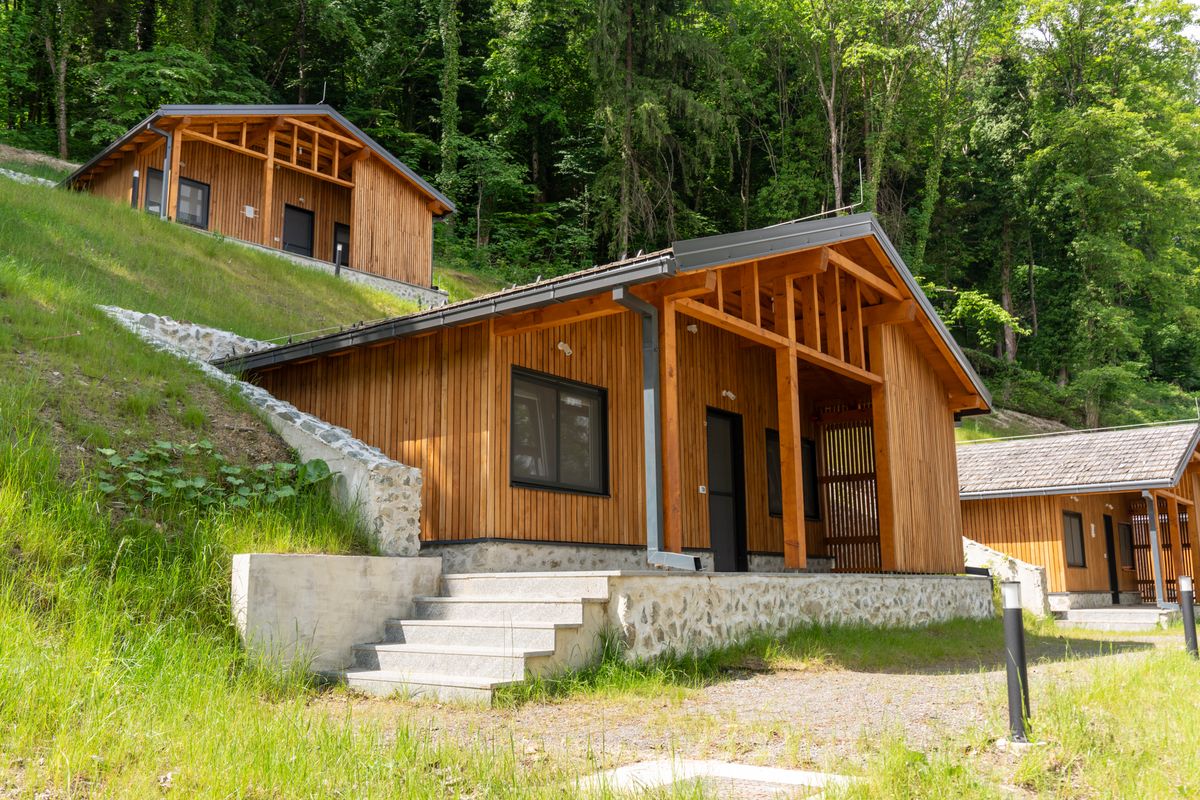
Short answer: compare a PMS for a holiday park or campsite on what makes a park different from a B&B. Can it sell dozens of identical units as one type, enforce fixed arrival and departure days, plan the cleaning of one busy changeover day, charge extras such as linen and final cleaning per unit, and sell on the channels where campers and glampers search? For a smaller park, a glamping site or a group of chalets, a PMS built for small accommodations can do all of that. For a large campsite with hundreds of pitches, seasonal pitches and a barrier, specialised campsite software is usually the better choice.
Below are the eight points to compare on, in order of how much they matter in practice.
1. Selling identical units as one type
A B&B has five rooms that are all different. A park has twenty identical chalets or ten identical safari tents. A guest does not want to see twenty cards "Chalet 1 … Chalet 20", but one card "Chalet for 4 — 3 left".
Ask in every demo: does the booking page group units by type, and how does the system choose which unit the guest gets? In BedFlow PMS you switch on grouping room types: the guest sees one card per type with the number of free units, and BedFlow assigns the unit by a rule you choose, for example evenly (so wear and cleaning are spread) or in your own order.
Also ask how those units go to Booking.com and the other channels: as one type with a count, or each unit separately. In BedFlow PMS each unit is currently linked to its own channel room type; that works, but it is good to know before you start.
2. Fixed changeover days and minimum stay
Most parks rent by the week or by midweek/weekend in high season, with fixed arrival days. A PMS has to enforce that on your own booking page and on the channels, or you end up with loose nights that break your weekly planning.
Check that you can set, per period: no arrival on certain days, no departure on certain days, a minimum number of nights, and a stop-sell for maintenance. In BedFlow PMS these live under restrictions, including fixed changeover days and applying them in bulk to a whole holiday period. More on the why in setting a fixed arrival and changeover day.
3. The cleaning peak on changeover day
On Saturday thirty families leave and thirty new ones arrive. Everything has to be ready between ten and four. A PMS that only shows a calendar does not help you there.
Ask whether the system gives a daily overview of departures and arrivals per unit, whether the cleaning team sees it on their phone, and whether a unit can be marked as ready. BedFlow PMS has a housekeeping portal, a schedule and a daily digest for the person on site, listing the unit and its own check-in and check-out times for every arrival and departure.
4. Settings per unit, not just per park
Not every unit is the same. One chalet has a sauna, another allows dogs, the treehouse is only ready at five. Ask whether check-in times, cancellation window and extras can differ per unit from the park setting. In BedFlow PMS you only fill in the exceptions under settings per unit; empty means the park setting applies. A unit can even have its own address, which then appears in the confirmation email and on the booking page.
5. Extras, surcharges and deposit
Linen package, final cleaning, pet, extra car, energy, a bread service: at a park, extras are often a bigger share of revenue than at a B&B. Check that you can link extras per unit, as mandatory or optional, per night or per stay, and that they land on the invoice at the right VAT rate. Also ask how a deposit works. See asking guests for a deposit and passing on energy costs.
6. The right channels
Campers and glampers do not only book through Booking.com and Airbnb. There are platforms aimed specifically at outdoor stays. Ask which channels are available through the channel manager. The BedFlow PMS integration catalogue lists, next to the big OTAs, outdoor platforms such as Pitchup, Hipcamp, VacanceSelect, OutReserve and Spot2Nite, through the channel manager.
7. Tourist tax, invoices and bookkeeping
A park counts many people and many nights. Does the system calculate tourist tax per person per night automatically, show it separately on the invoice, and send invoices to your accounting software? That saves days of work at the end of the season.
8. Pricing model and scale
Do not only compare the monthly price, but also how it grows: per unit, per booking or per park. Do the sum for your own number of units and your own season. What BedFlow PMS costs is on the pricing page, no detours.
When specialised campsite software is the better fit
To be fair: a PMS for small accommodations is not campsite software. If you have hundreds of pitches with a map where guests choose their spot, seasonal and annual pitches on a yearly contract, a barrier with number-plate recognition or an electricity meter per pitch, you need software built for that.
A PMS like BedFlow PMS fits a glamping site, a group of chalets or tiny houses, a small holiday park with a limited number of rental units, or a B&B that has added a few lodges. There you mainly want simplicity: one calendar, a commission-free booking page, the channels connected and the cleaning under control.
How to test it in a week
Create two or three units, set a changeover day and a minimum stay for summer, connect one channel and make a test booking through your own booking page. Then check whether the confirmation, the invoice and the cleaning overview are right. If you want to understand how a PMS, a booking engine and a channel manager fit together, first read the difference between PMS, booking engine and channel manager.
Want to try it with your own units? You can test BedFlow PMS free for 30 days, no card details needed.
30-day free trial, no credit card. We migrate your MyTourist or other PMS data with you.