Managing customers (debtors)
Updated on 2026-08-17
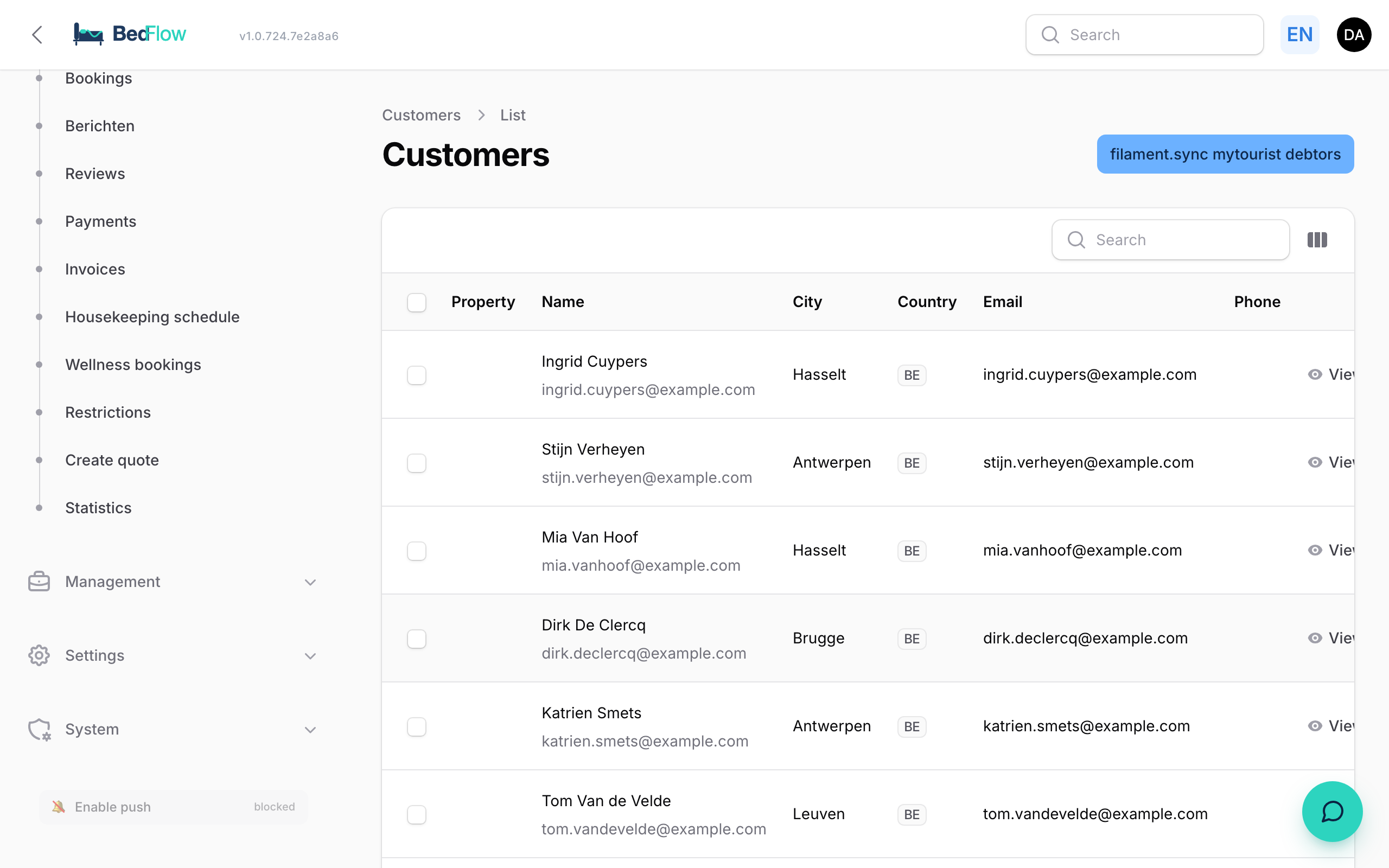
Manage → Customers — overview and management of all debtors (guests and companies).

Adding a new customer manually
Most of the time, debtors are created automatically as soon as a new guest books. Sometimes you want to create one in advance yourself — e.g. for a corporate client or for a quote.
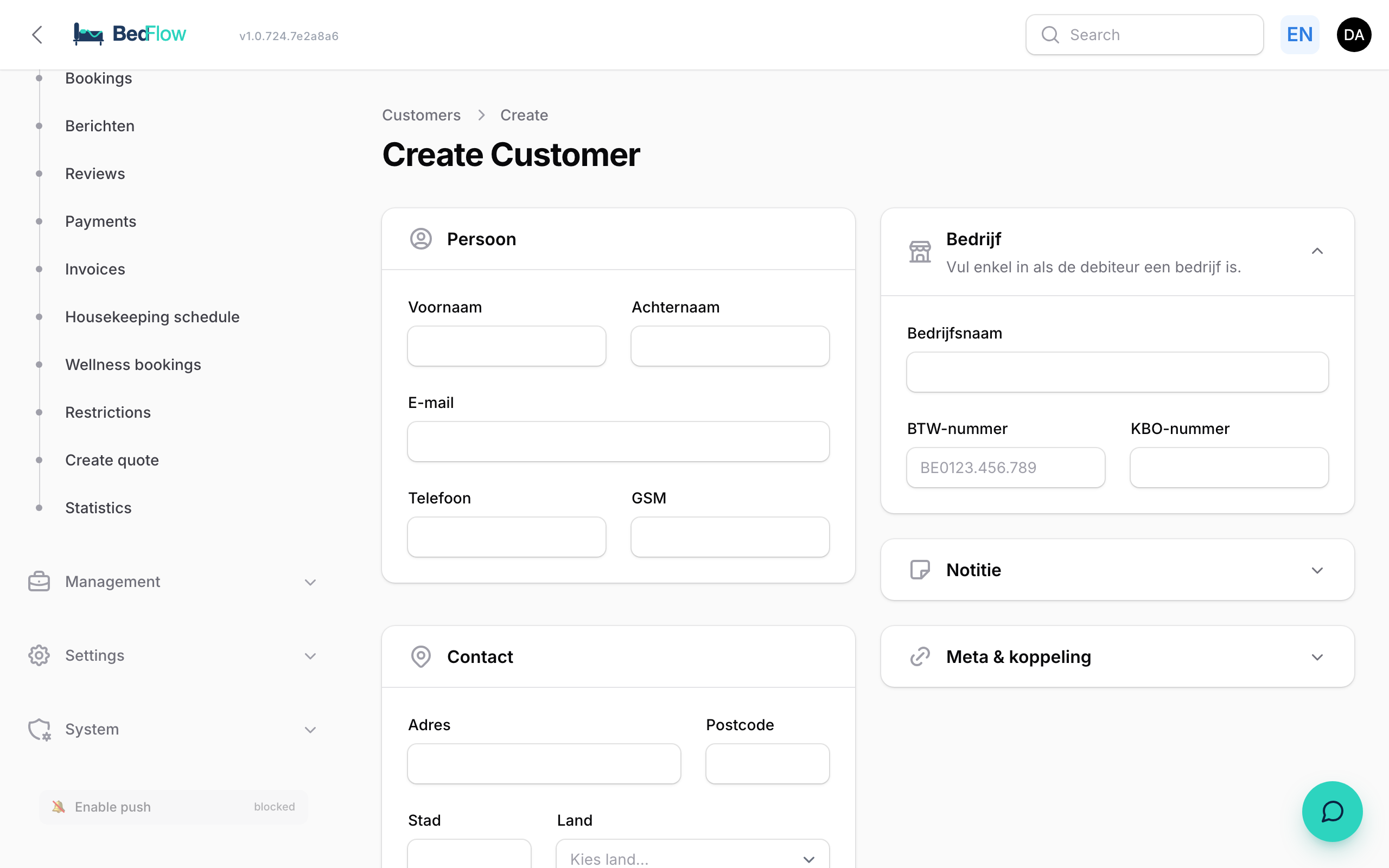
- Open Manage → Customers → New debtor
- Fill in at least First name, Last name and Email or Phone
- Optional: company name, VAT number, billing address, language preference
- Create — the debtor can now be linked to bookings and invoices
Actions
- ➕ New customer
- ✏️ Edit customer (name, address, contact, VAT, IBAN, notes)
- 🗑️ Delete (only if there are no bookings or invoices attached)
Fields
- First name + last name
- Company name (optional)
- VAT number (optional)
- Company chamber ID (KBO, optional)
- Email, mobile, phone
- Address, postcode, city, country
- Bank IBAN (for payouts on credit notes)
- Notes (free text field)
- Latitude/longitude (for the map — automatically filled via geocoding when the address changes)
Searching
The search bar works on all fields at once. Type "Vannerom" → match on last name. Type "+32470" → match on mobile. Type "BE0123" → match on VAT.
MyTourist sync (optional)
Debtors from MyTourist are automatically updated in BedFlow every hour. Existing records are not overwritten (only empty fields are filled in).
New debtors created through BedFlow (widget, manually, quote) get a unique reference starting with OV-D- — so you can immediately see it is a BedFlow-native record.
Booking link
From a customer detail you immediately see the customer's full history. Handy for returning guests:
- Recent invoices — the last 5 invoices with status and total
- Recent bookings — the last 5 bookings with period, room(s), channel, status and total; click the booking number to jump straight to the booking
Communication
Click the email or phone to open an email/WhatsApp directly. Per customer you also see all recent emails (from the communication log).
Privacy / GDPR
On deletion the customer is permanently and irrevocably erased. Bookings remain, but without a link to the deleted customer. That way you can honour a GDPR deletion request — historical invoices remain (legally required for 7 years).