Manual booking (phone / walk-in)
Updated on 2026-04-26
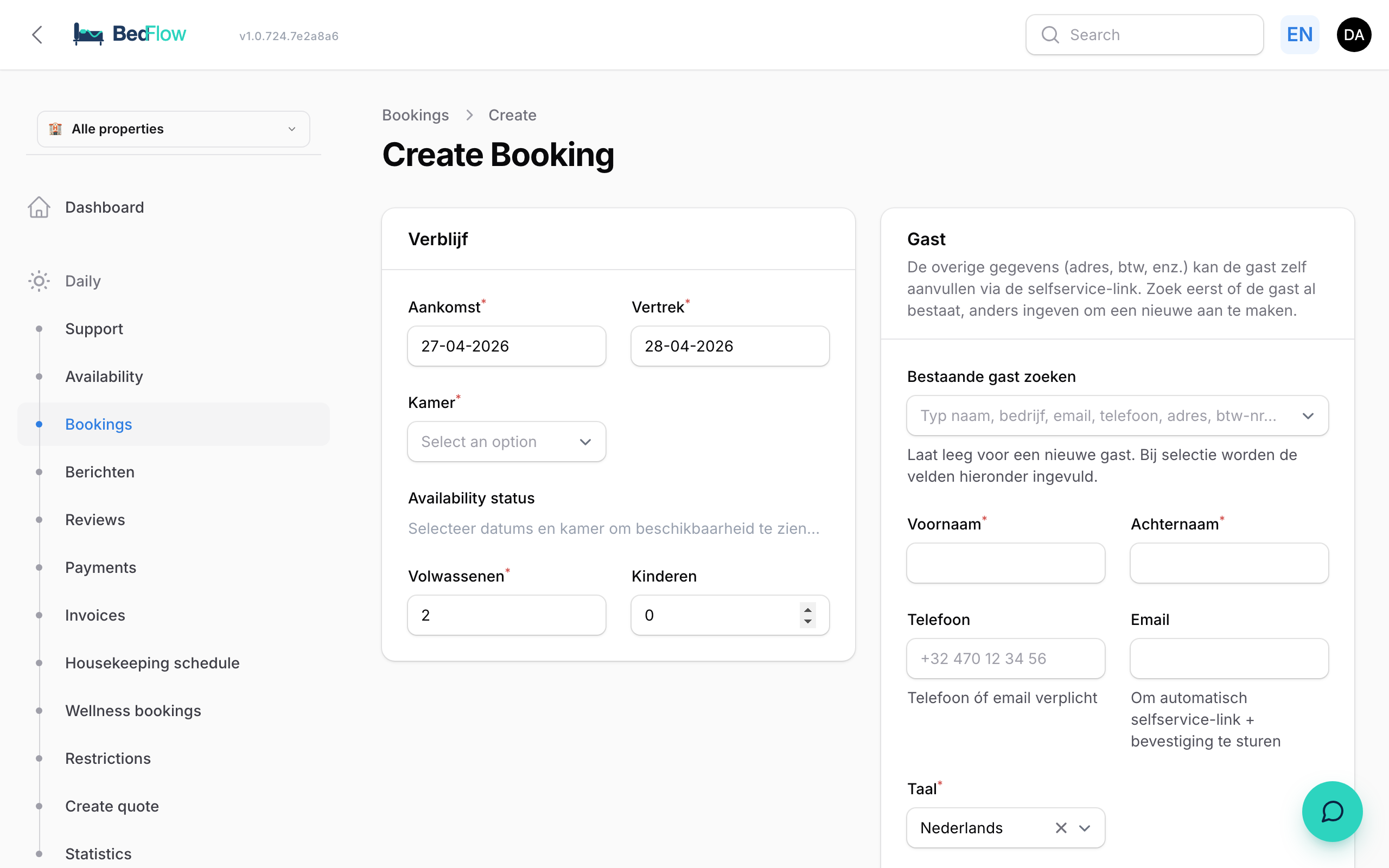
For phone guests and walk-ins you have a single-screen form — no wizard, no hassle. Fill in only the bare essentials; the guest fills in the rest themselves via the guest portal.
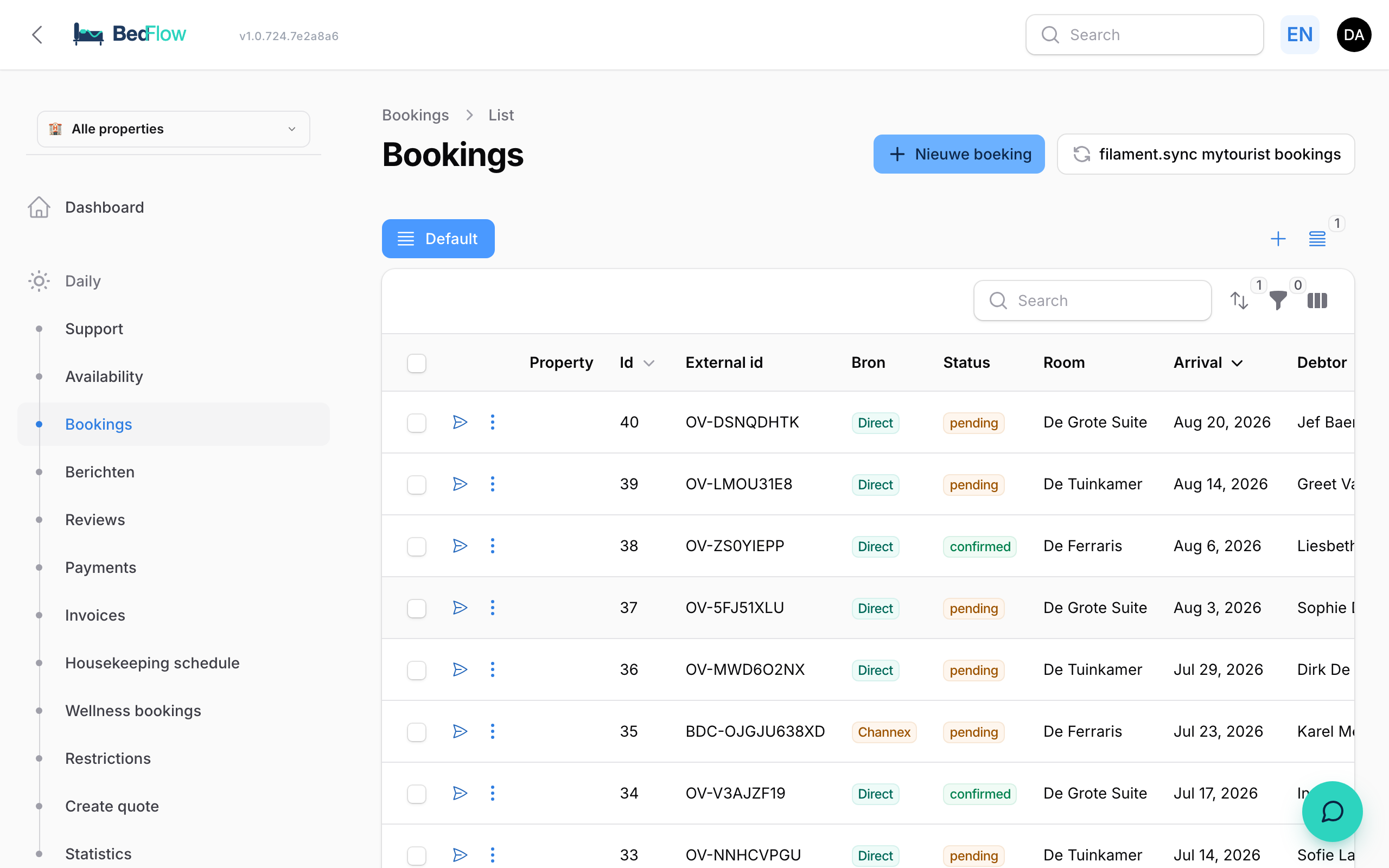
Where do I find the bookings list?
In the sidebar under Daily → Bookings. You see all reservations there with filterable columns for source, status, room, arrival and debtor.
When do you use this?
- A guest calls to book directly
- A walk-in at the door ("do you still have a room tonight?")
- You want to record a booking that came in via Instagram DM / WhatsApp
For guests who book through your website you use the booking widget — that is the normal flow.
How does it work?
-
Go to BedFlow → Bookings
-
Click ➕ New booking at the top right
-
Under Stay, fill in:
- Arrival + Departure with date pickers
- Room dropdown — shows the price per room and whether there is availability (⚠️ occupied/blocked if so, but you can still choose to overbook)
- Adults + Children
-
Under Guest:
- Search existing guest at the top — starts searching after 2 characters, matches on name, company, email, mobile, address, city, postcode, VAT number. Type something in → the 4 fields below are filled in automatically.
- If there is no match → First name + Last name (required) + at least a phone or email (to be able to send the confirmation)
- Language (NL / EN / FR / DE) for the confirmation email
- Notes (optional) — e.g. "late arrival 9pm", "dietary requirements: vegetarian"
-
Click Create

What happens automatically afterwards?
- A debtor is created (or reused if there is a match)
- Rates are calculated through your Rate management configuration
- Tourist tax is added
- A proforma invoice is generated
- The deposit amount is calculated based on your settings
- Channex receives an availability push if the room is linked
- You are redirected to the detail page with the Stripe payment link
You can then forward that link by email or WhatsApp to the guest (or they automatically receive their confirmation email — depending on the email automations).
Channel
Admin bookings get channel = 'phone' so they can be distinguished from widget bookings in reporting.