Wellness bookings
Updated on 2026-10-23
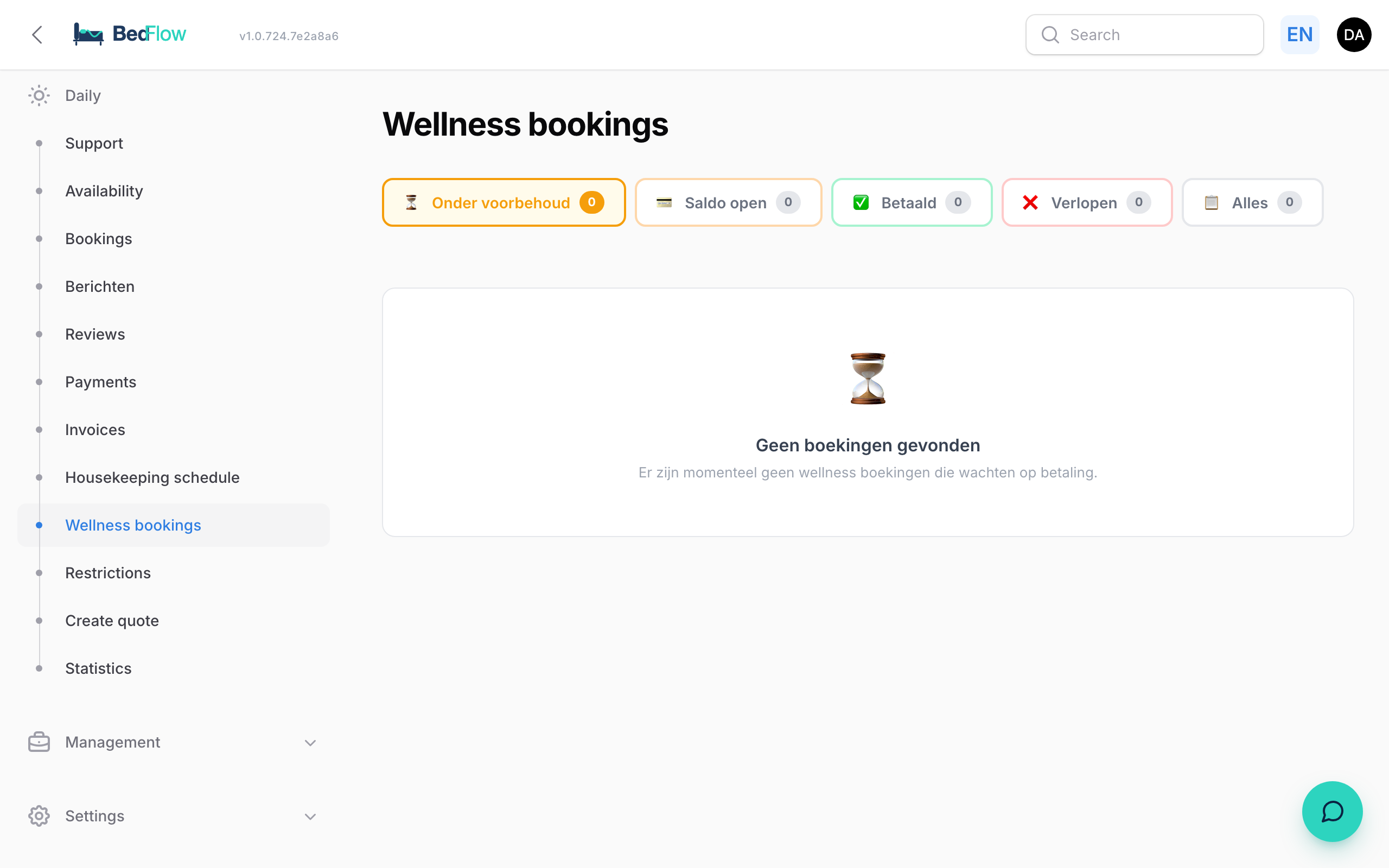
Daily → Bookings → Wellness bookings tab
If your property has a wellness area (sauna, jacuzzi, private spa), this is where you follow up all wellness reservations: standalone sessions and sessions with an overnight stay. The tab sits next to Bookings, because a wellness reservation is a booking in its own right. How to create a regular booking is explained in Manual booking.
Wellness bookings are included in the Starter plan and higher. BedFlow switches the module on per property, together with your session length, opening hours and prices. Do you have a wellness area but can't see this tab? Ask via support.
How does a guest make a reservation?
Guests reserve a date and a time slot online. An overnight guest also finds the wellness in their confirmation email and on their guest page. If you work with Relaxy, those requests also come in here, with the via Relaxy badge. See Relaxy.
For every reservation, BedFlow immediately creates a proforma, and the guest can pay online. A reservation that is not paid lapses automatically after a short time; the card shows how many minutes are left.
An overnight guest reserves their wellness through the link in their confirmation email or on their guest page. That works only for a day of their stay (arrival and departure day included) and as long as the booking is not cancelled. If the stay has a proforma, the session goes onto it, so the guest pays for it with the room. If something does not match, for example a wrong booking number or a day outside the stay, the page asks the guest to use the link from the confirmation email or to get in touch.
If the stay is far ahead, the guest can still choose their time right away. The days of their stay are always available, when booking the room and through the link, even further ahead than wellness-only guests can book (60 days by default).
The list
At the top you choose a tab, each with a counter:
| Tab | What it contains |
|---|---|
| Provisional | Reservations still awaiting payment (default) |
| Balance due | Partly paid |
| Paid | Paid in full |
| Expired | Lapsed and cancelled reservations |
| All | Everything together |
For each reservation you see the status, the guest (with email and phone), the date and time of the session, the number of people, the add-on options and the amount with what has been paid or is still outstanding. The newest are at the top.
The buttons per reservation
- Payment link: opens the guest's payment page, for a reservation still awaiting payment.
- Collect balance: for a partly paid reservation. Shows a QR code that the guest scans with their phone, plus the link to copy.
- Don't let it lapse / Let it lapse after all: pauses the automatic lapsing, e.g. for a guest who is coming to pay cash tomorrow. As long as it is paused, the guest also does not receive an automatic balance reminder.
- Cancel: the session disappears from the calendar and the proforma is set to Cancelled (you can find it under Expired). A cancelled session is never invoiced. If payment had already been made, the confirmation prompt tells you how much; you handle the refund yourself. BedFlow does not send the guest an email about this: you are the one talking to the guest.
- Proforma, Booking (if the wellness belongs to a stay) and Guest: go straight to the right page.
Wellness today on the room overview
On Daily → Availability (Room overview), in the Timeline view, the Wellness today cards are shown below the rooms. Each card shows the time, the number of people, the guest's mobile number (click to call), the total and whether it has been paid or what is still outstanding.
Adding something on the spot. Does the guest order a bathrobe or a bottle of cava? Click + Extra (bathrobe, cava, …), choose the Product and the Quantity and click Add. It is added to the wellness proforma straight away; the total and VAT are recalculated.
Settling payment on the card. If something is still outstanding, you settle it without leaving the card:
- with the Bancontact button you let the guest pay immediately (if Bancontact is set up);
- with the Record payment button you record a payment that has already come in: fill in the Amount (€), the Payment method (e.g. Cash, Bank transfer or Voucher), the Payment date and optionally a Description, and click Record.
Automatic balance reminder after the session
Has a standalone wellness session (without a room booking) ended and is there still a balance outstanding, for example because you added a bottle of cava or bathrobes on the spot? Then BedFlow automatically sends one WhatsApp message half an hour after the end to the guest, with the outstanding amount and a short payment link. You get a Telegram notification, and on the wellness card you can see when the reminder was sent.
Deliberately excluded: wellness guests with a room booking. They may only settle up at check-out or stay another night, so they are never reminded automatically. Nothing is sent late in the evening: reminders only go out between 9:00 and 21:30; an evening session gets its message the next morning.
Session time and rescheduling
The day and time of a wellness session are stored on the proforma itself. As a result, the time appears everywhere the guest expects it: in the booking confirmation for wellness with an overnight stay ("Your wellness session is scheduled for Saturday 24 October at 14:00"), on the guest page and on the wellness page of your website.
Does the guest want a different time? Via the Change time after all link in the email (or the wellness page with their booking number), they first see their current session. The calendar opens on the day of the session, the days of the stay can be selected and the current time is highlighted among the available times. If they choose a different time, the same appointment is moved (no second one, no double-blocked slot), the date on the proforma moves along, the guest receives an email "Your wellness session has been rescheduled" and you get a Telegram message with the old and new time. A session can only be moved to a time during the stay and as long as the session is still to come.
Frequently asked questions
How do I set up the time slots, session length and opening hours? BedFlow sets these up for you when the wellness module is switched on. If you want to change anything, ask via support.
Can I include a house rule or dress code in the guest emails (e.g. "no swimwear")? Yes, BedFlow adds that text for you to the wellness information in your guest emails, translated into the guest's language. Ask via support.
Where do I create a wellness product? In Management → Products, with the Wellness category. See Managing products & extras. With Discount with overnight stay you give a lower price when the guest books the wellness together with a room.
How many people can join one session? By default a maximum of 4. You set it yourself under Settings → Integrations → Guest experience → Wellness, field Maximum number of people per session. It is a hard limit: the wellness widget, the booking engine, the app, the back office and Relaxy accept no session for more people, and adding an extra person beyond that number is refused too. A stay with more guests than the maximum cannot book the wellness along with it.