Full occupancy, wellness and extras
Updated on 2026-09-30
On Management → Insights → Statistics, two blocks show what happens beyond the room rate: how often you are fully booked, and what wellness and extras bring in.
Full occupancy
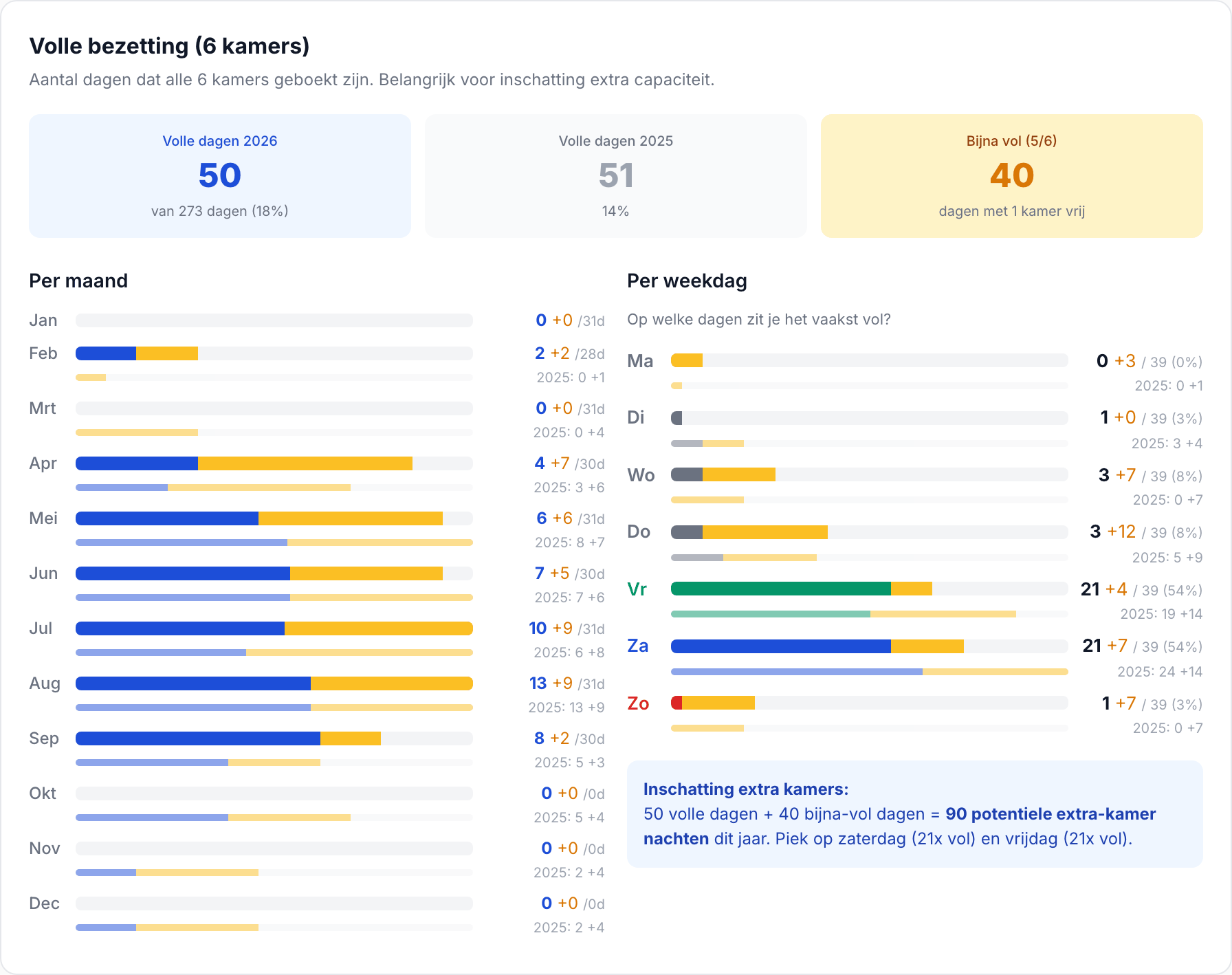
A day is full when all your rooms are booked, and nearly full when exactly one room is still available. BedFlow counts those days:
- Per month: a blue bar for full days and a yellow one for nearly full days, with the number of days in that month alongside (e.g. "12 +5 /30d"). On the right, the same is shown for last year.
- Per weekday: on which days of the week you are most often fully booked, with their share of all full days.
Combination rooms (e.g. a gîte that you also rent out as a whole) do not count as an extra room; otherwise "full" could never be reached. Rooms you added during the year only count from the day they exist.
What do you do with it?
- Lots of full days in a month? Then you can raise your rate for that period, for example with a season or a rate rule; see Rate management.
- Often nearly full, rarely full? Check which room is left over; perhaps it is too expensive or not visible enough.
- Full on Saturday, empty on Sunday? Then a two-night minimum stay at the weekend helps; see Restrictions. If you want to see per weekday when guests arrive and leave, read Arrivals & departures by weekday.
Wellness analysis
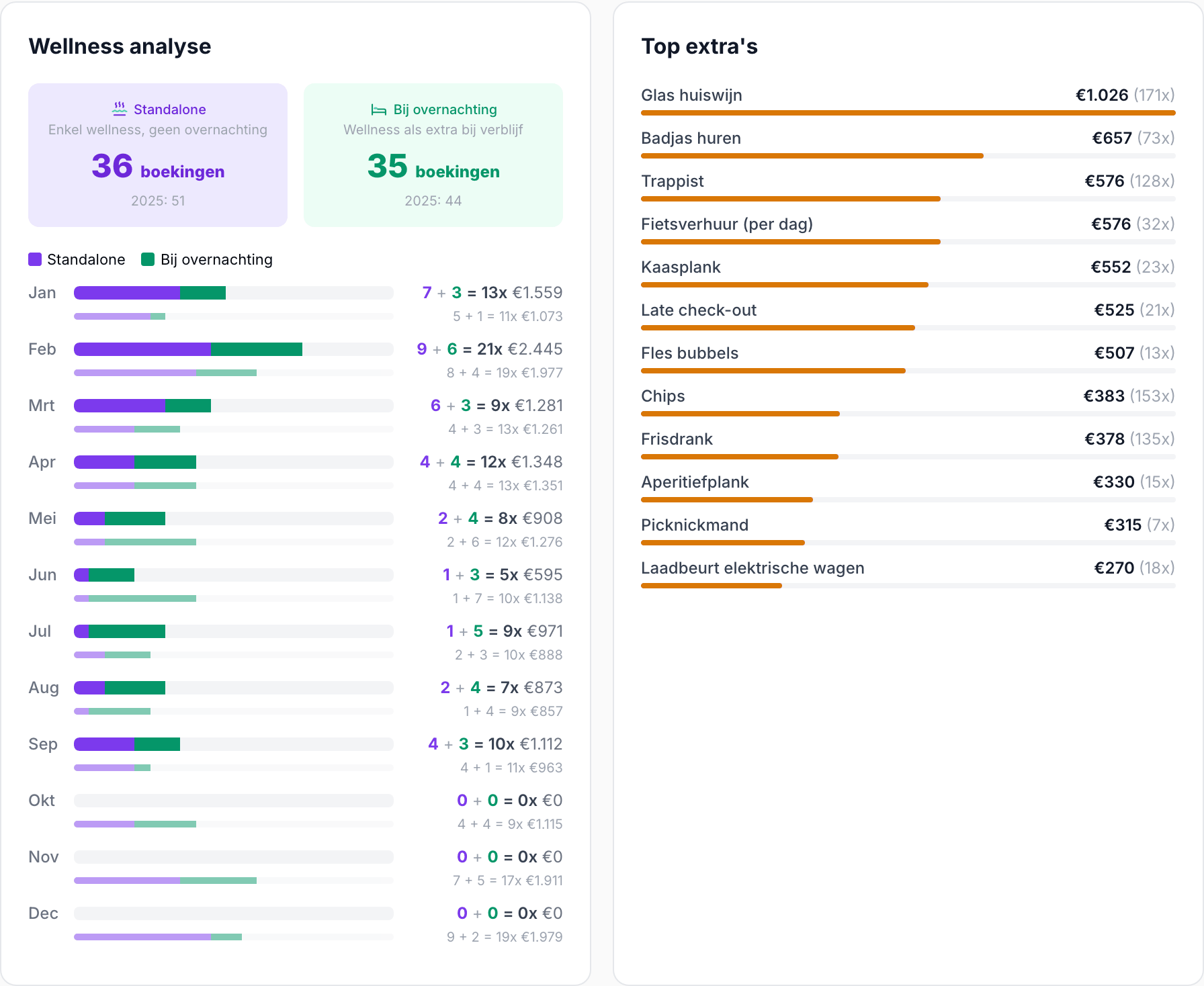
This block only appears if your property offers wellness. It splits your wellness bookings into:
- Standalone: wellness without an overnight stay (an invoice with wellness but without a room).
- With overnight stay: wellness as an extra with a stay.
Per month you see both as a stacked bar, with the total number of sessions and the revenue alongside, and last year below. That way you can see whether your wellness mainly attracts day visitors or mainly pampers your own guests.
Top extras
All your extras ranked by revenue, with how often they were sold: breakfast supplements, the honesty bar, a bottle of bubbly, late check-out, pet fee, … You can see straight away which extras sell well and which ones you would be better off removing from your offer or putting in the spotlight (e.g. on your guest page or in an email automation).
See also: Statistics — how to read the dashboard and Revenue per month and per room.