Importing your existing data
Updated on 2026-10-01
Management → Import
Coming from another system? On the Import your existing data page, you choose how to bring your existing reservations into BedFlow, so that your calendar is right straight away. You can combine different methods. Switching to BedFlow is free.
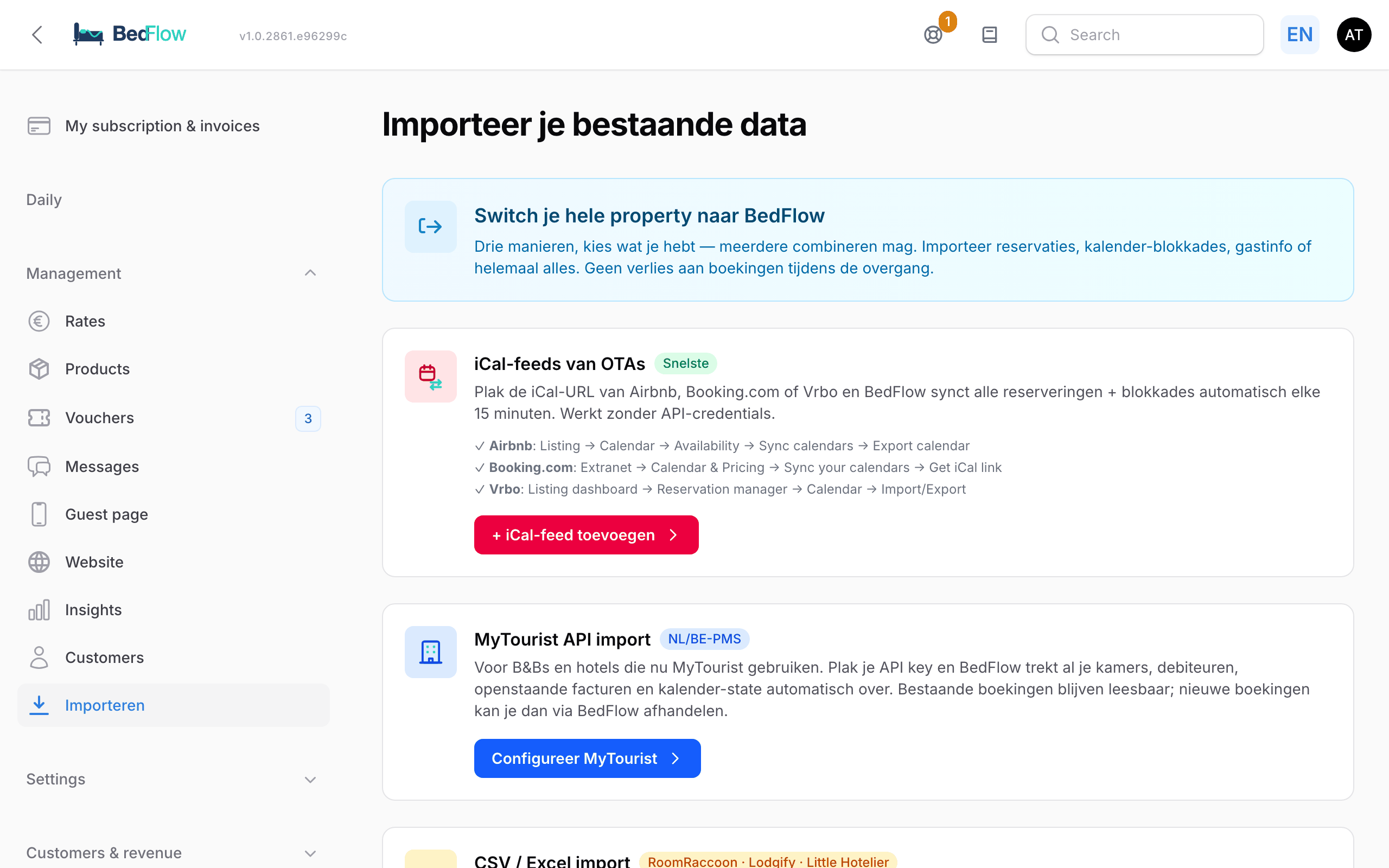
Which method suits you?
| Tile | For whom? | What comes along? |
|---|---|---|
| iCal feeds from OTAs | Anyone currently renting out via Airbnb, Booking.com or Vrbo, without another system | Reservations and blocks, per room |
| MyTourist API import | Anyone currently using MyTourist | Rooms, customers, invoices, products, gift vouchers and calendar |
| CSV / Excel import | Anyone who can create an export from their previous system (e.g. RoomRaccoon, Lodgify or Little Hotelier) | Reservations |
| Hostaway migration | Anyone currently using Hostaway | Properties, reservations and calendar |
Coming from Cubilis (Lighthouse)? Then you send us an export and we import it. See Migrating from Cubilis.
iCal feeds from OTAs
The fastest method, without passwords or API keys. You paste the iCal link of your calendar at Airbnb, Booking.com or Vrbo, and BedFlow fetches the reservations and blocks. After that, BedFlow keeps them up to date regularly.
Where do you find the iCal link?
- Airbnb: Listing → Calendar → Availability → Sync calendars → Export calendar.
- Booking.com: Extranet → Calendar & Pricing → Sync your calendars → Get iCal link.
- Vrbo: Listing dashboard → Reservation manager → Calendar → Import/Export.
You manage the feeds under Management → Website → iCal feeds, with New iCal feed. For each feed, you choose the room and the direction. See iCal feeds.
Via iCal, only dates and a name come along, no prices or guest details. If you want to connect your channel fully, with rates and availability in both directions, use a channel connection. See Connecting Booking.com.
CSV / Excel import
For anyone who can create an export from their previous system.
- Export your reservations from your old system as CSV or Excel.
- On the tile, click Upload CSV / Excel. You can see which property you are importing for.
- Choose your file (CSV with comma or semicolon, or Excel; maximum 10 MB) and click Upload & preview.
- BedFlow recognises the columns itself: arrival, departure, guest name, email, phone, room, adults, children, total price and channel. On the preview page, you see how many rows are ready for import, how many contain errors (these are skipped) and which column goes where.
- If it looks right, click Import … reservations.
Imported reservations get the status Pending. That way you can check them first under Daily → Bookings before you confirm them. No email is sent to your guests during the import itself.
Tip: an Excel file that you first save as CSV usually gives the best result.
MyTourist API import
If you currently use MyTourist, you transfer your data via the official MyTourist API, with read-only permissions. The full explanation is in Migrating from MyTourist.
Hostaway migration
A wizard fetches your properties, reservations and calendar from Hostaway in one go. After that, you work entirely in BedFlow: there is no synchronisation back to Hostaway. See Migrating from Hostaway.
Would you rather we did it?
At the bottom of the page there is Book a migration call (free). In a 30-minute call, we set up your rooms together, import your existing bookings and connect Booking.com or Airbnb.
Imported bookings without an invoice
A booking you import does not have a proforma yet. If you need one (e.g. to send a payment link), choose Create proforma on the booking. If the guest then pays online, the payment is booked against that proforma. See Invoicing & proformas.
Frequently asked questions
Can I combine different methods? Yes. For example, you can bring in your history from a CSV and keep your Airbnb calendar running alongside via iCal until you connect Airbnb fully.
Who is allowed to import? Anyone with the Settings & integrations permission. See Extra users and permissions.
In what order do I switch over? First bring in your existing reservations, and only then switch your channels over to BedFlow. That way no booking falls through the cracks. See The step-by-step plan.